> ## Documentation Index
> Fetch the complete documentation index at: https://docs.contabull.com/llms.txt
> Use this file to discover all available pages before exploring further.

# Configure Webhooks

<Steps>
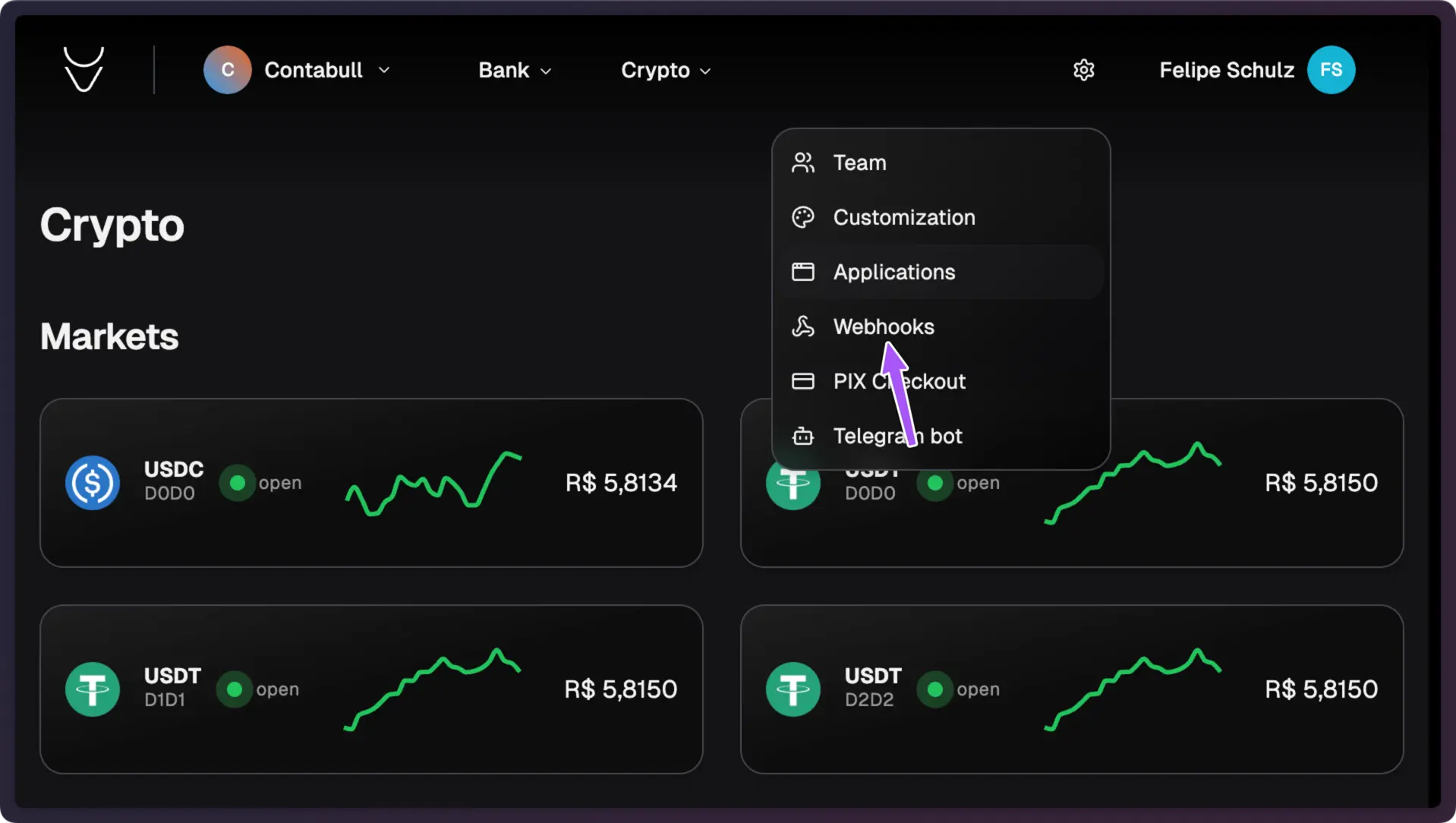
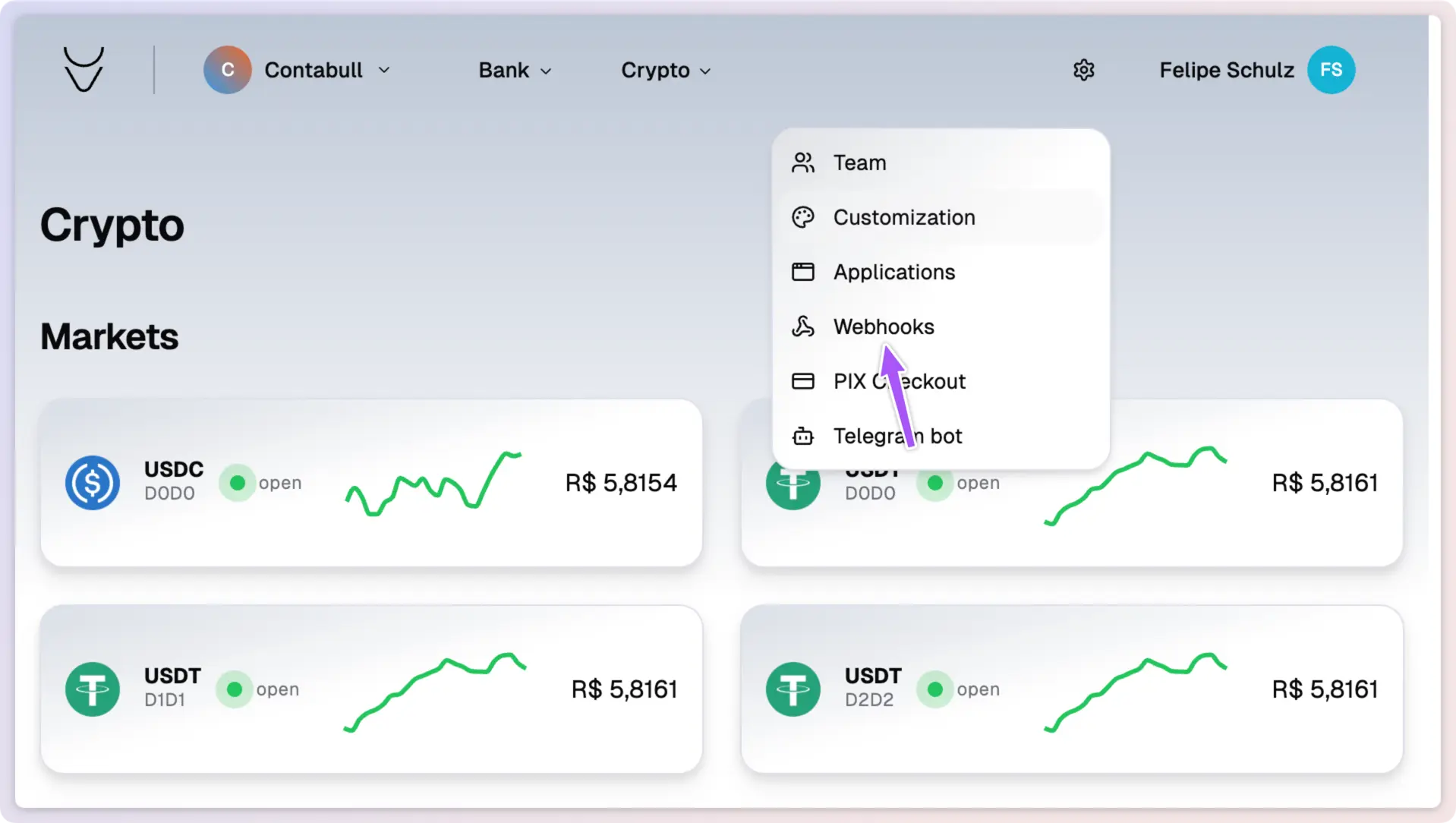
  <Step title="Access Webhook Settings" stepNumber={1}>
    In your Contabull dashboard, navigate to **Settings** and click on **Webhooks**.
  </Step>
</Steps>

<img className="block dark:hidden" src="https://mintcdn.com/contabull/ROfrz7Cv2pLL8IqY/images/configure-webhooks/step-1-light.webp?fit=max&auto=format&n=ROfrz7Cv2pLL8IqY&q=85&s=44e5699f1603eef1947b014eecce85d1" alt="Webhook settings in light mode" width="1918" height="1084" data-path="images/configure-webhooks/step-1-light.webp" />

<img className="hidden dark:block" src="https://mintcdn.com/contabull/ROfrz7Cv2pLL8IqY/images/configure-webhooks/step-1-dark.webp?fit=max&auto=format&n=ROfrz7Cv2pLL8IqY&q=85&s=76b3419c16dd5ad3ba364a2782c6b4f0" alt="Webhook settings in dark mode" width="1918" height="1084" data-path="images/configure-webhooks/step-1-dark.webp" />

<Steps>
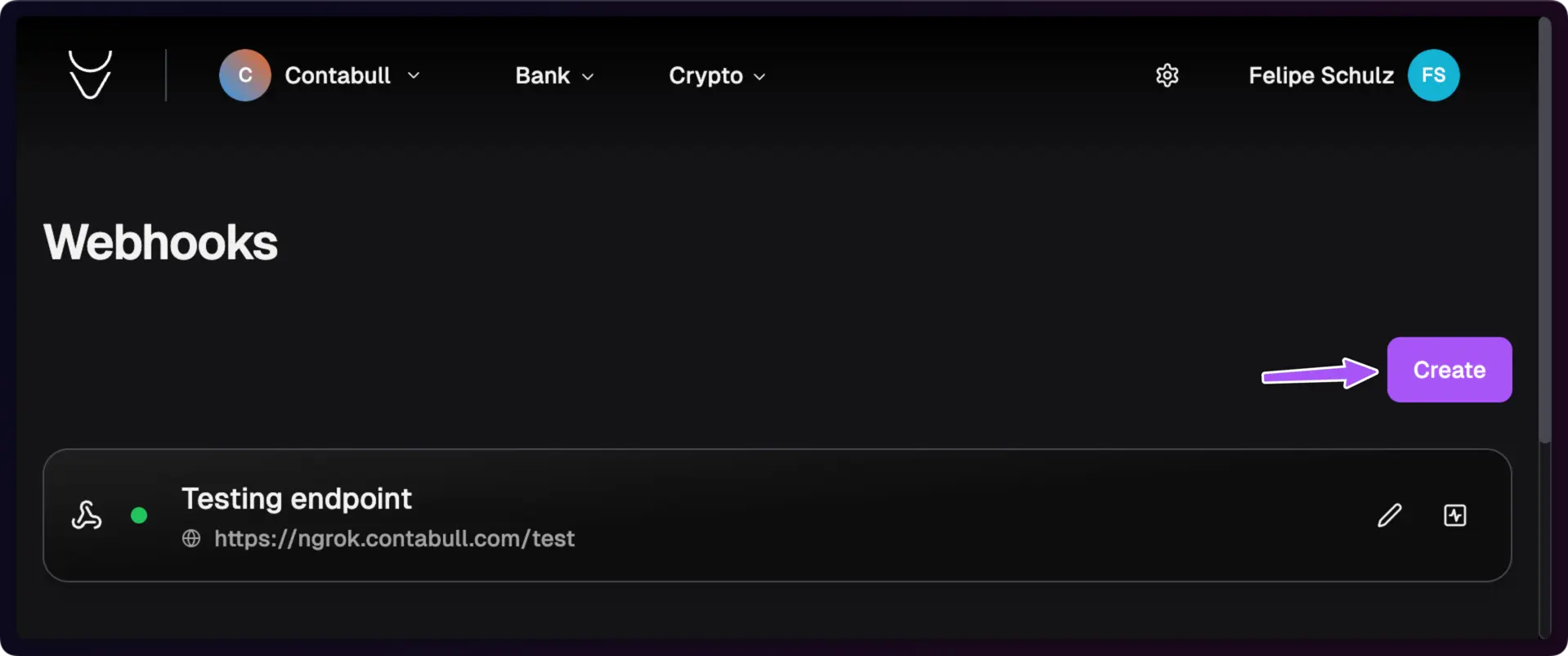
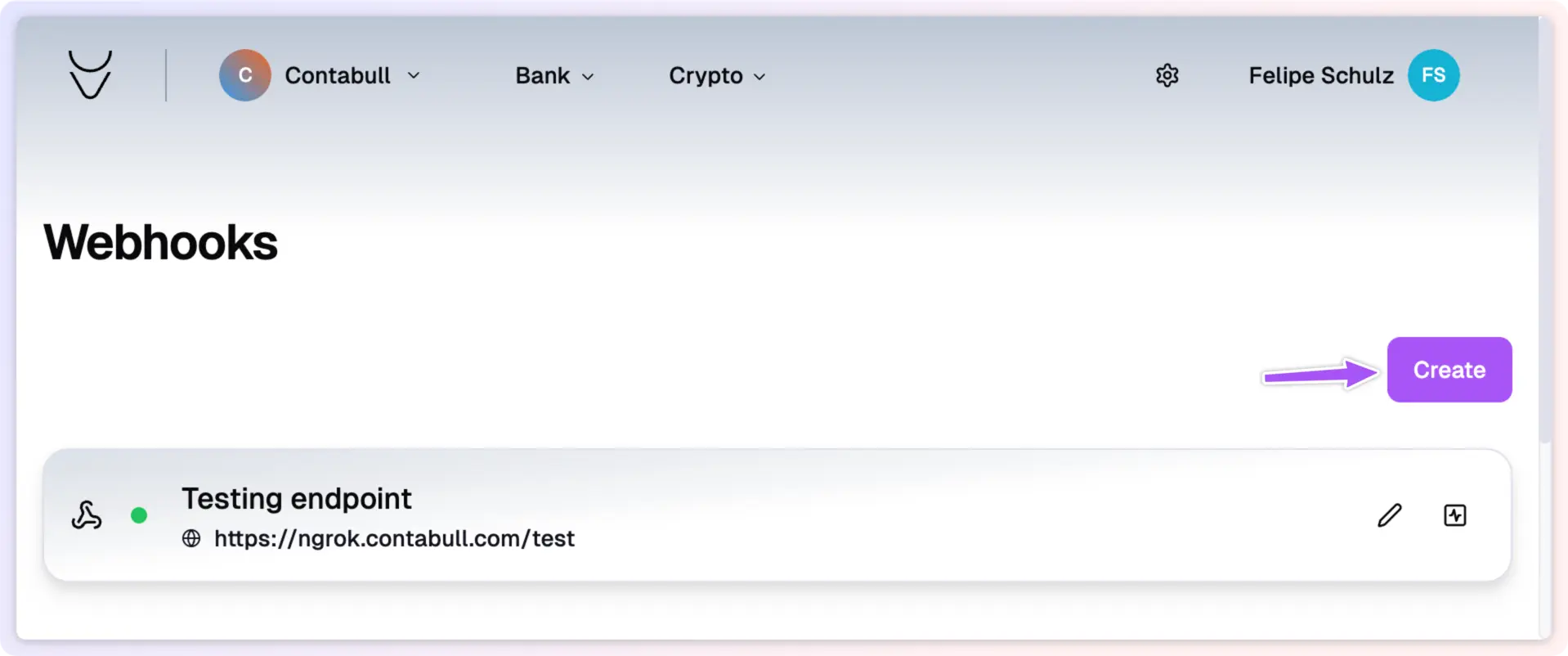
  <Step title="Create New Webhook" stepNumber={2}>
    Click the **Create** button to begin setting up a new webhook.
  </Step>
</Steps>

<img className="block dark:hidden" src="https://mintcdn.com/contabull/ROfrz7Cv2pLL8IqY/images/configure-webhooks/step-2-light.webp?fit=max&auto=format&n=ROfrz7Cv2pLL8IqY&q=85&s=23e43d64b56b741d5153e68206ba67c4" alt="Create webhook button in light mode" width="1918" height="802" data-path="images/configure-webhooks/step-2-light.webp" />

<img className="hidden dark:block" src="https://mintcdn.com/contabull/ROfrz7Cv2pLL8IqY/images/configure-webhooks/step-2-dark.webp?fit=max&auto=format&n=ROfrz7Cv2pLL8IqY&q=85&s=bf9a6b5212d4570d70bba3c88cf66aa6" alt="Create webhook button in dark mode" width="1918" height="802" data-path="images/configure-webhooks/step-2-dark.webp" />

<Steps>
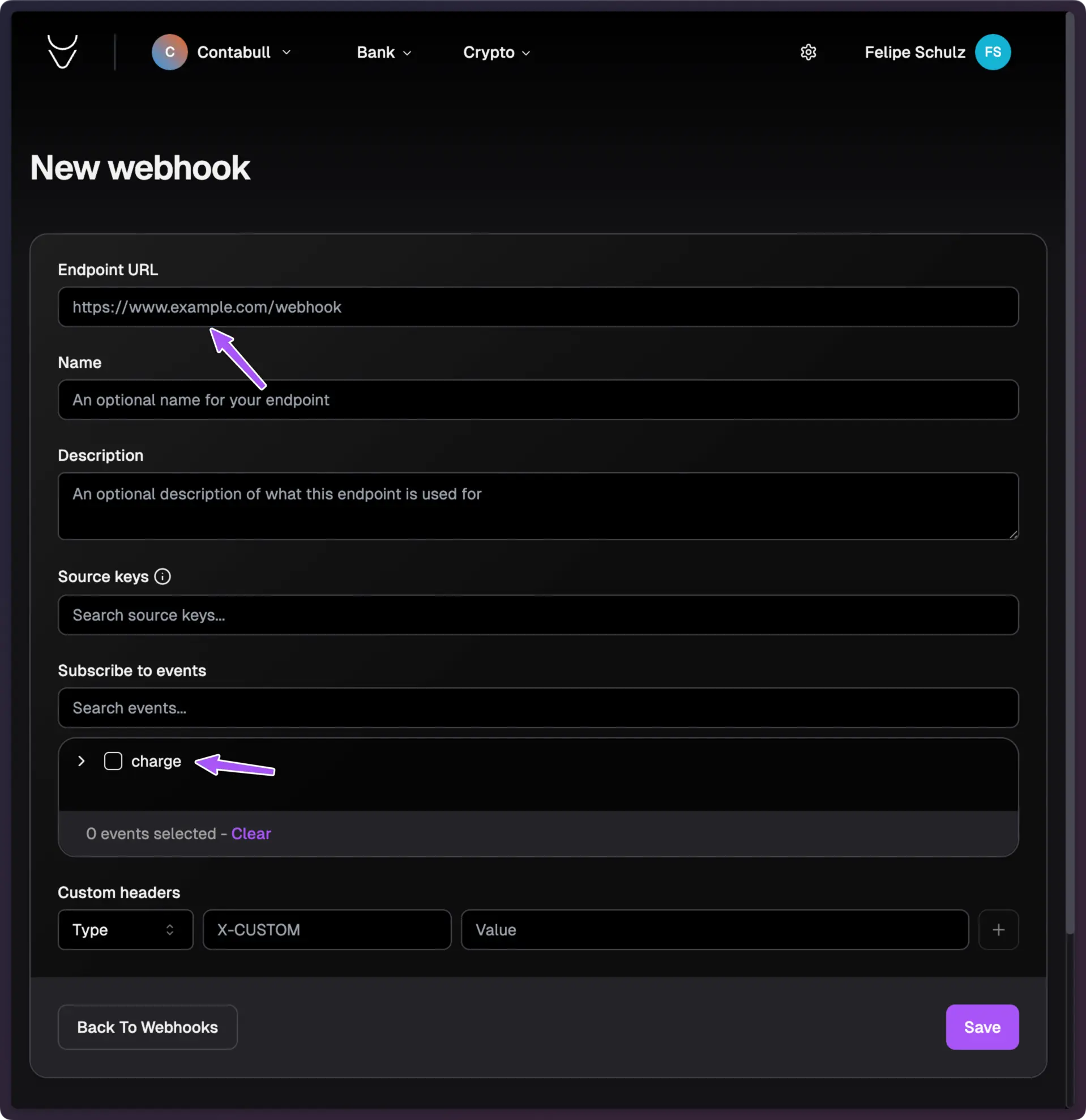
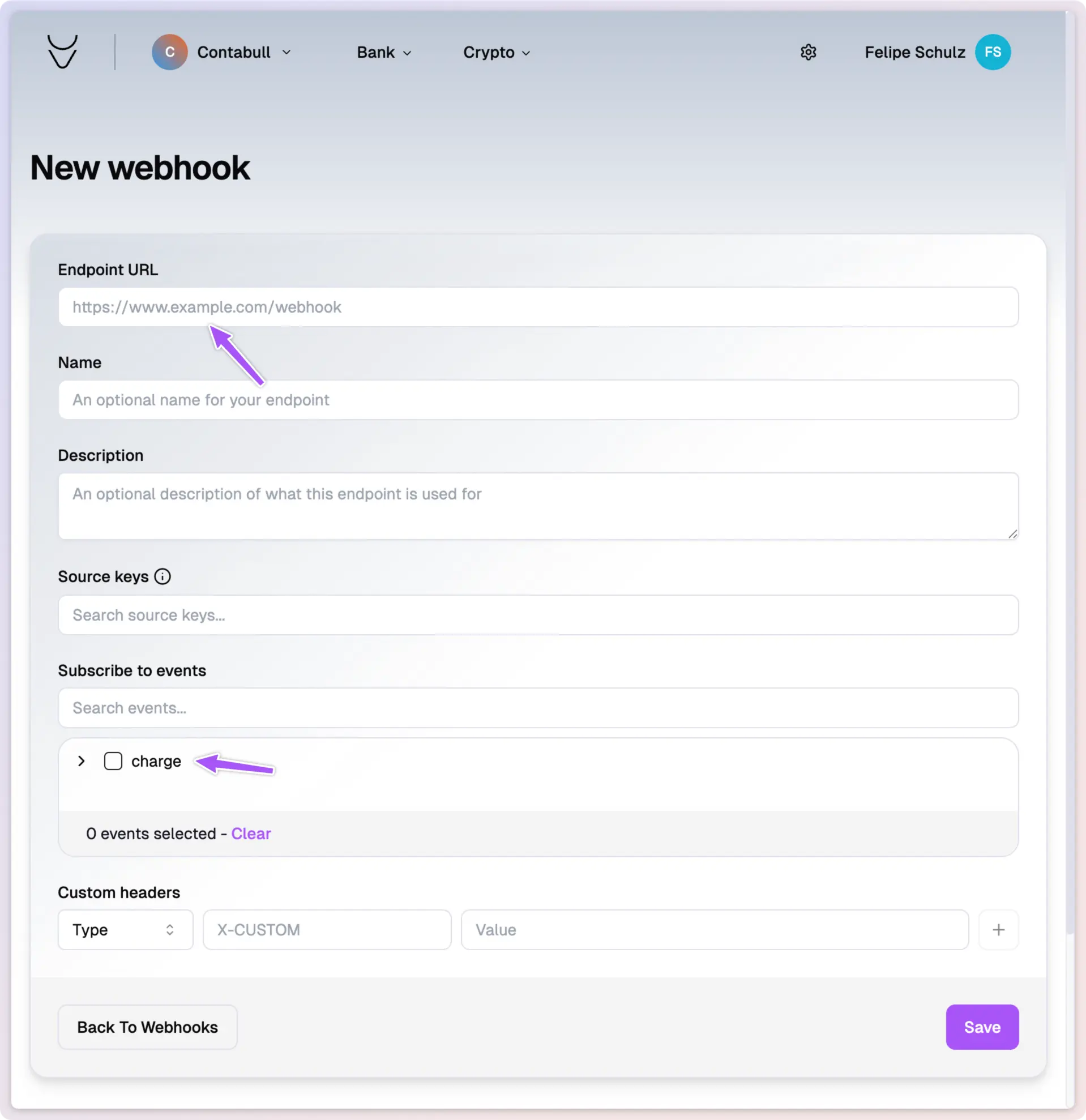
  <Step title="Set URL Endpoint" stepNumber={3}>
    Enter the URL where webhook notifications will be sent. You can create multiple endpoints for different events.
  </Step>

  <Step title="Choose Events" stepNumber={4}>
    Select the events that will trigger this webhook.
  </Step>

  <Step title="Set Headers (Optional)" stepNumber={5}>
    Configure any custom headers to be sent with the webhook requests.
  </Step>
</Steps>

<img className="block dark:hidden" src="https://mintcdn.com/contabull/ROfrz7Cv2pLL8IqY/images/configure-webhooks/step-3-light.webp?fit=max&auto=format&n=ROfrz7Cv2pLL8IqY&q=85&s=61a3532ba0ce1ca2c1576c327a549a3f" alt="Webhook configuration in light mode" width="1918" height="1978" data-path="images/configure-webhooks/step-3-light.webp" />

<img className="hidden dark:block" src="https://mintcdn.com/contabull/ROfrz7Cv2pLL8IqY/images/configure-webhooks/step-3-dark.webp?fit=max&auto=format&n=ROfrz7Cv2pLL8IqY&q=85&s=0747f153d04bfe5724b93d5b097c1534" alt="Webhook configuration in dark mode" width="1918" height="1978" data-path="images/configure-webhooks/step-3-dark.webp" />

<Steps>
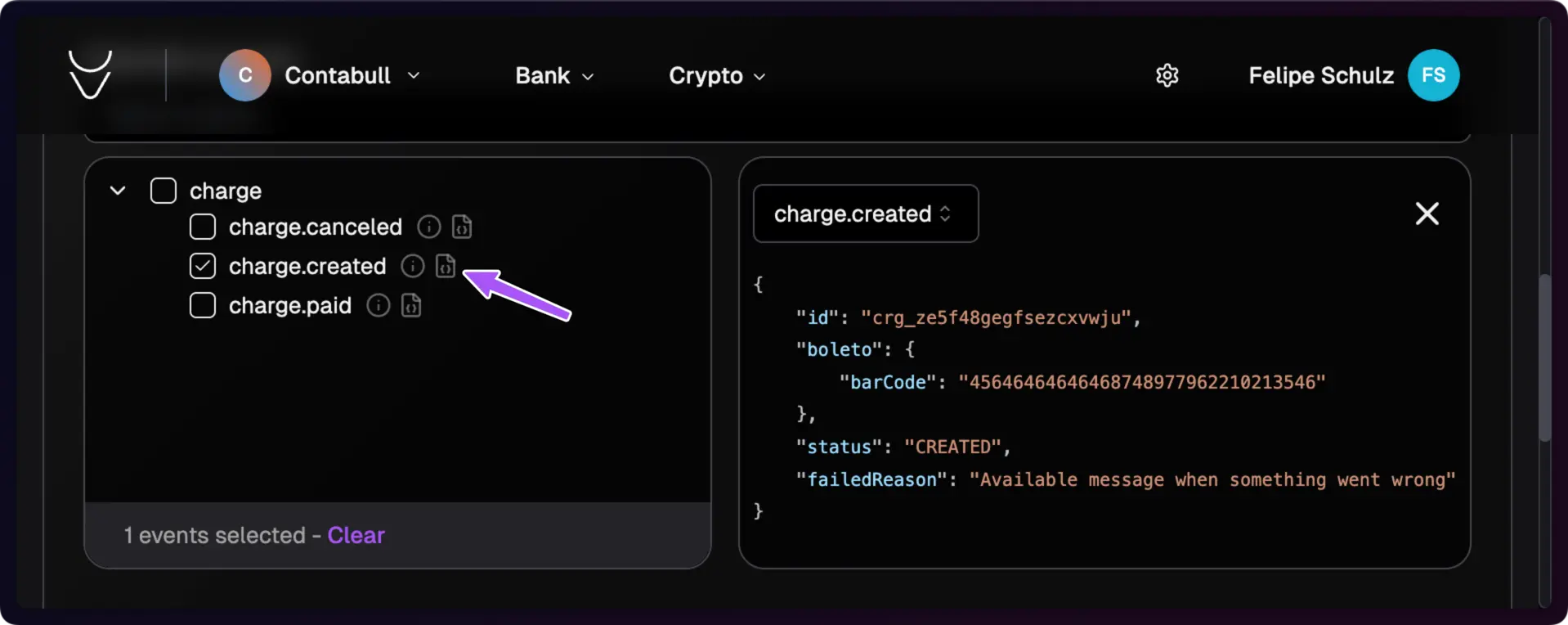
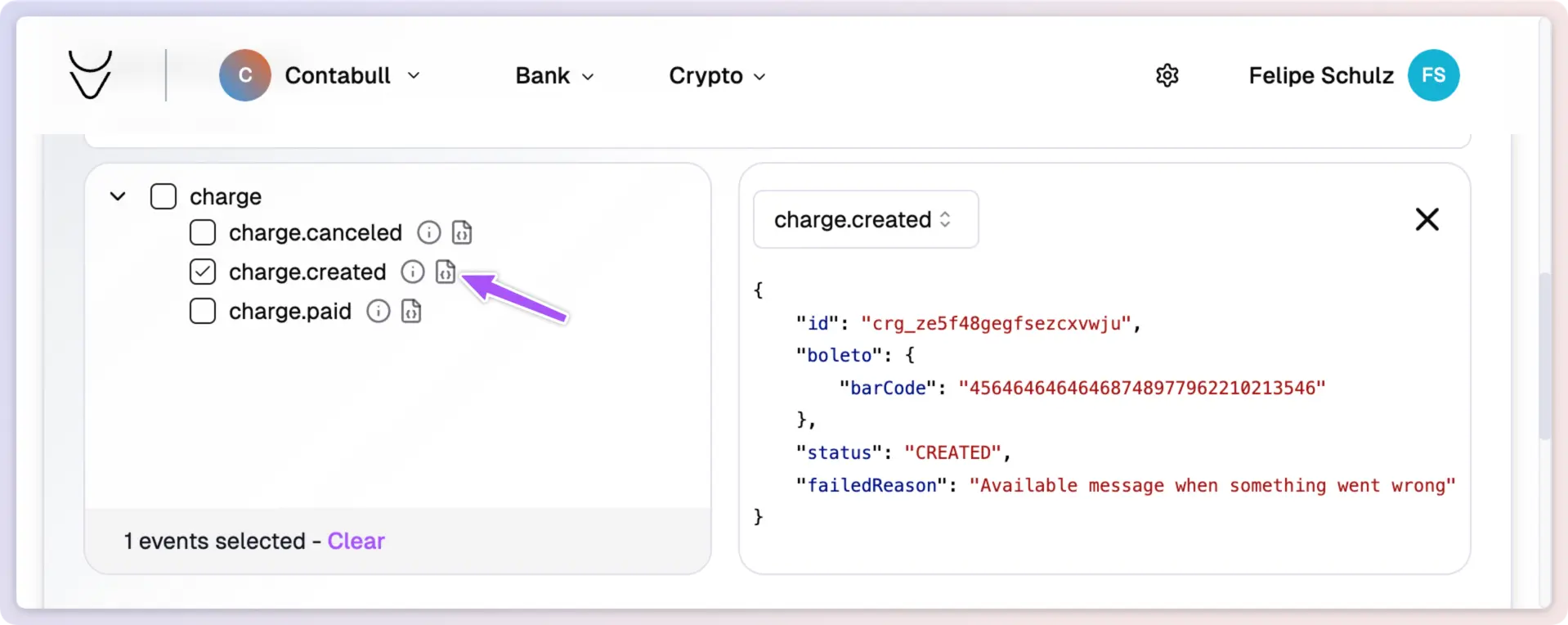
  <Step title="Review Payload Example" stepNumber={6}>
    Click **Payload Example** to see a sample of the data that will be sent to your endpoint.
  </Step>
</Steps>

<img className="block dark:hidden" src="https://mintcdn.com/contabull/ROfrz7Cv2pLL8IqY/images/configure-webhooks/step-4-light.webp?fit=max&auto=format&n=ROfrz7Cv2pLL8IqY&q=85&s=f3b02ef887607d0f06cc6b54eabeaaa1" alt="Payload example in light mode" width="1918" height="764" data-path="images/configure-webhooks/step-4-light.webp" />

<img className="hidden dark:block" src="https://mintcdn.com/contabull/ROfrz7Cv2pLL8IqY/images/configure-webhooks/step-4-dark.webp?fit=max&auto=format&n=ROfrz7Cv2pLL8IqY&q=85&s=f3fcb0ca068aecd880cecb460cee2044" alt="Payload example in dark mode" width="1918" height="764" data-path="images/configure-webhooks/step-4-dark.webp" />

<Steps>
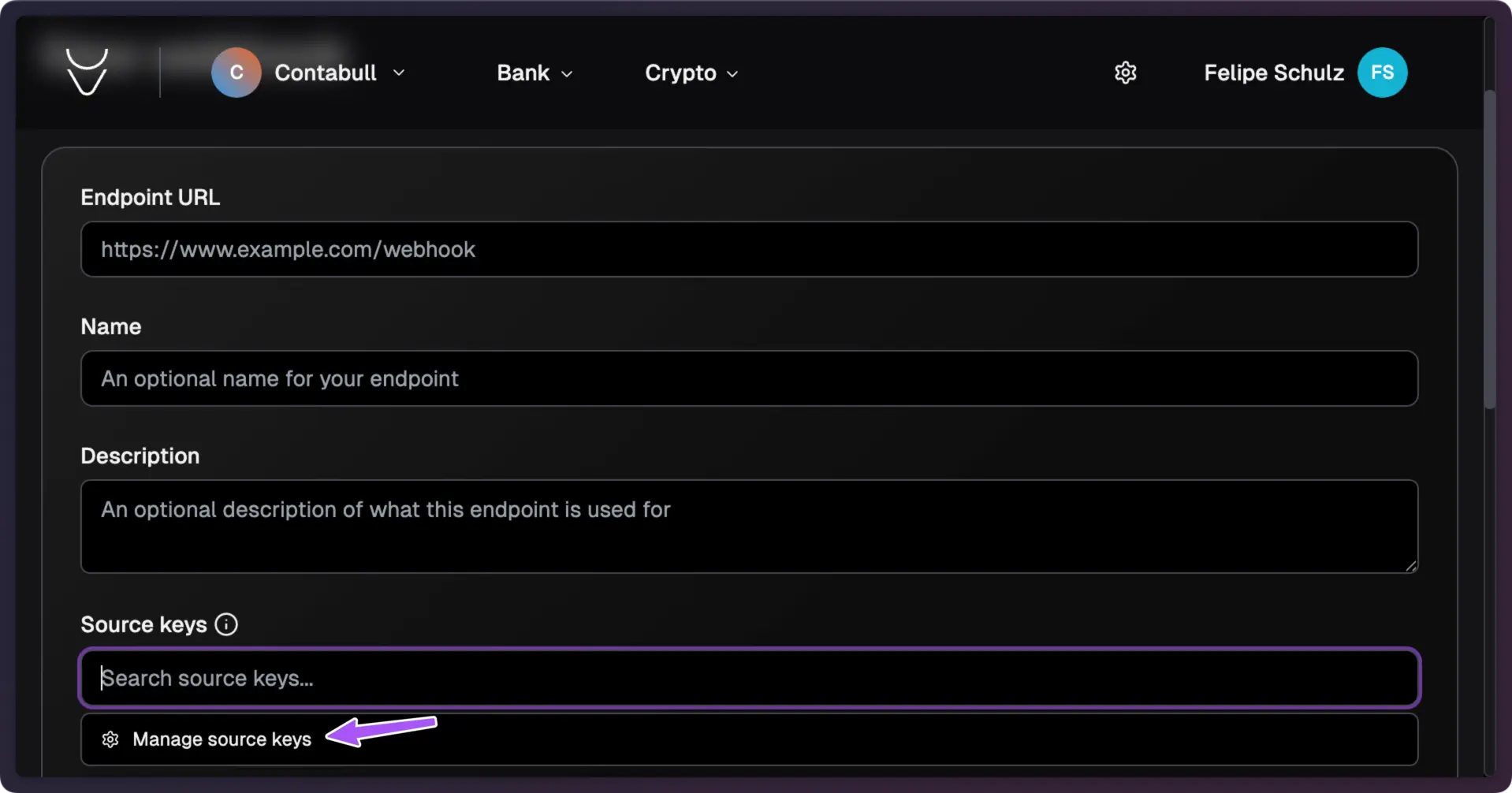
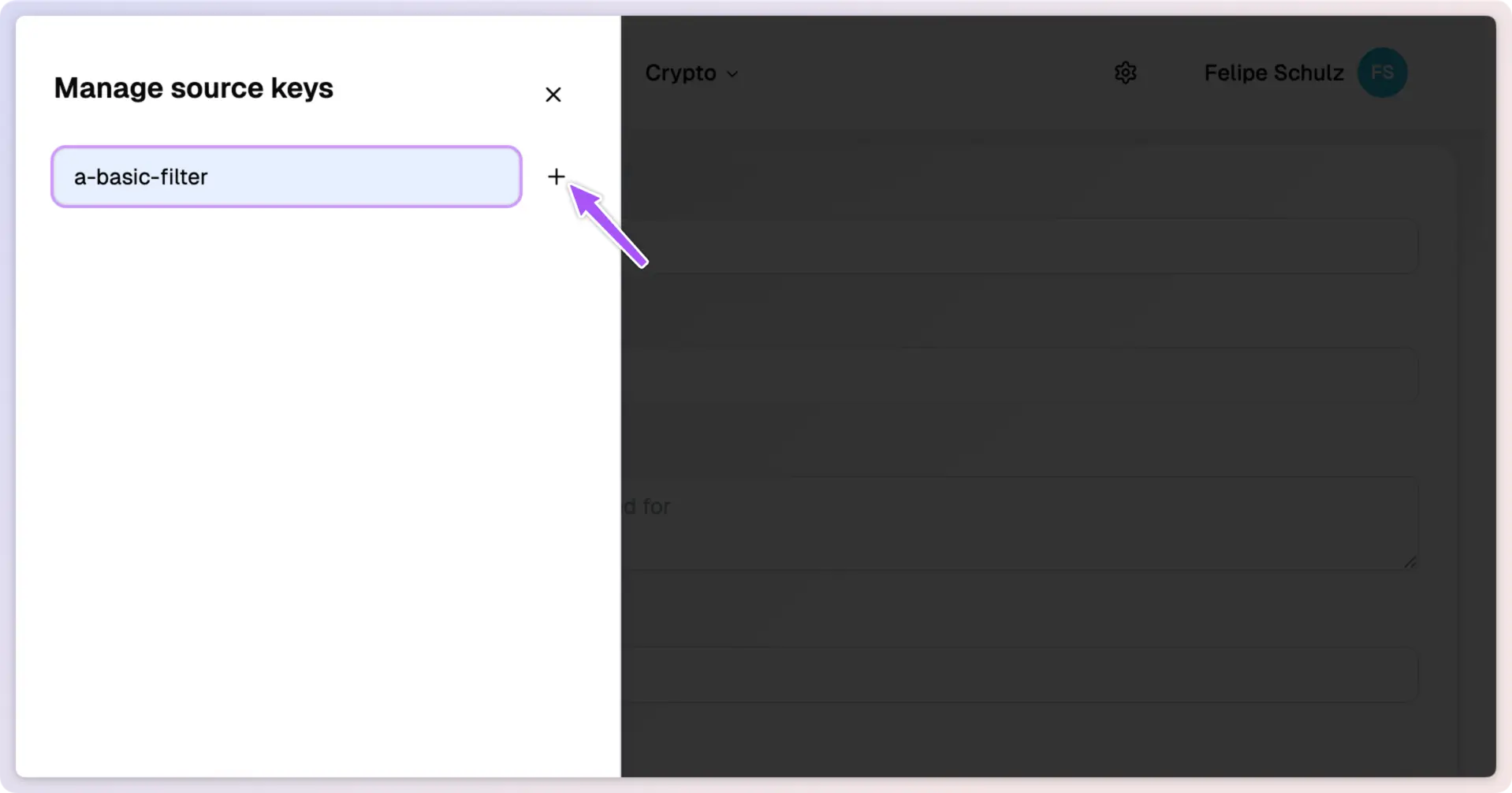
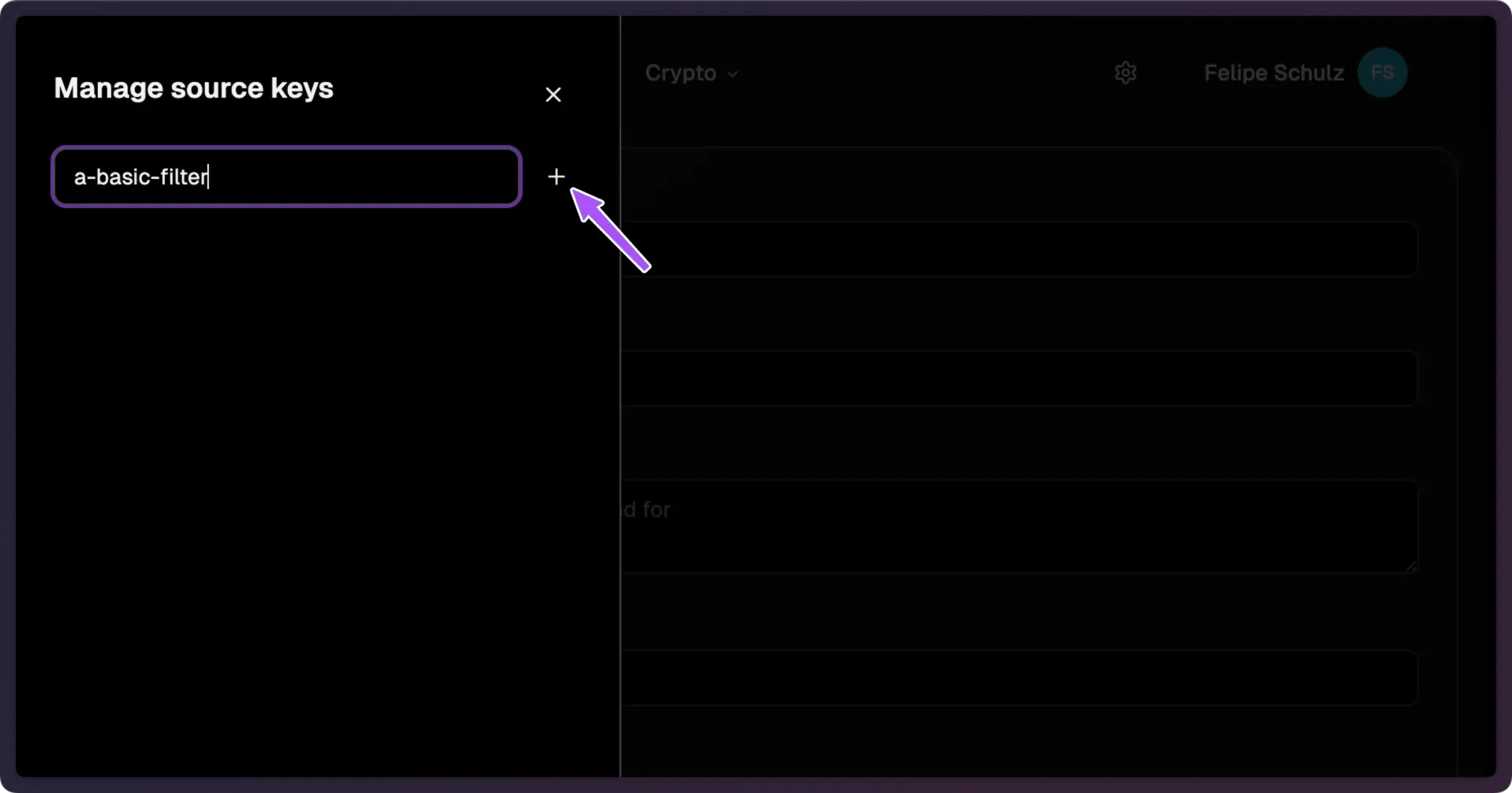
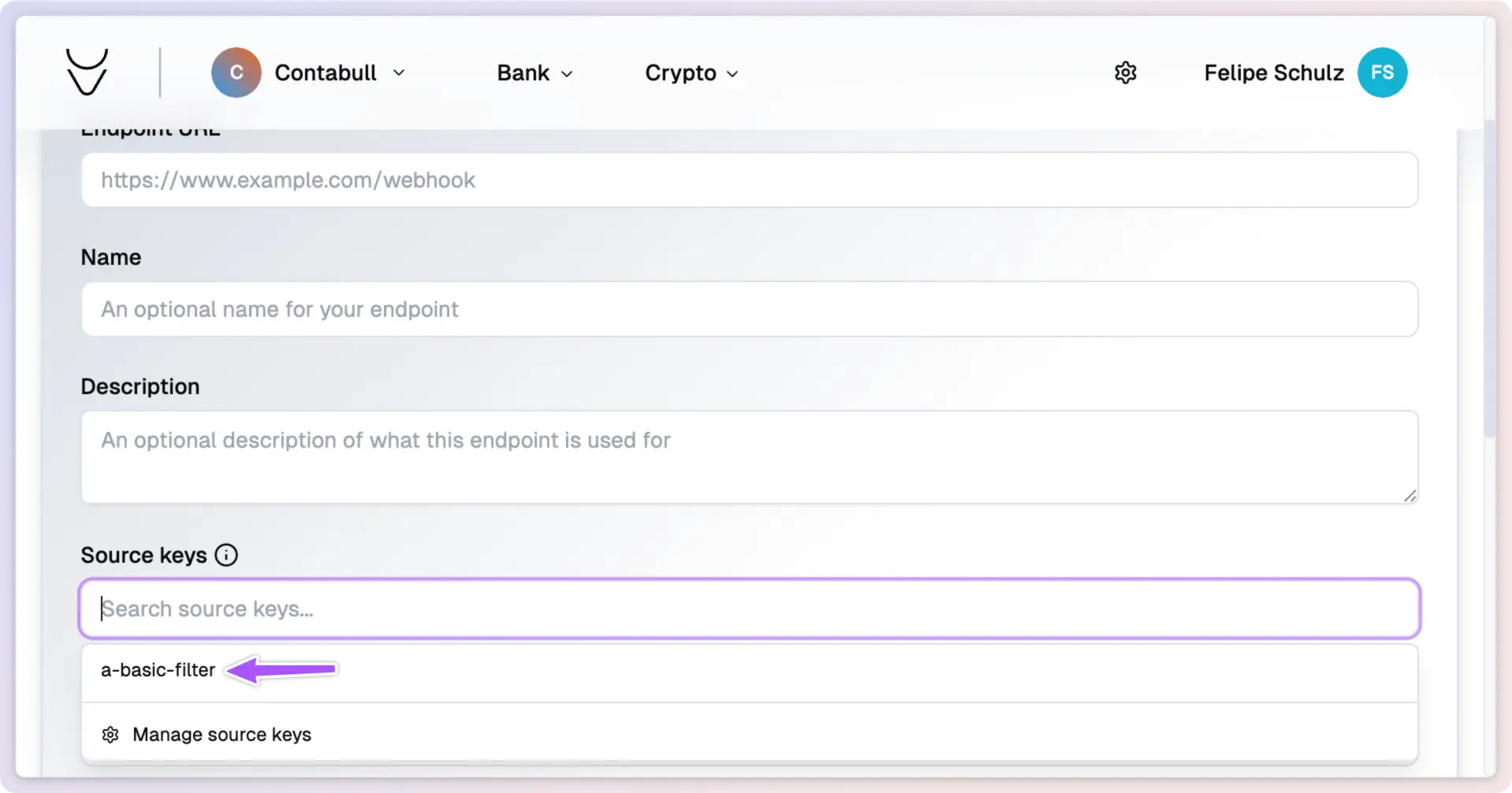
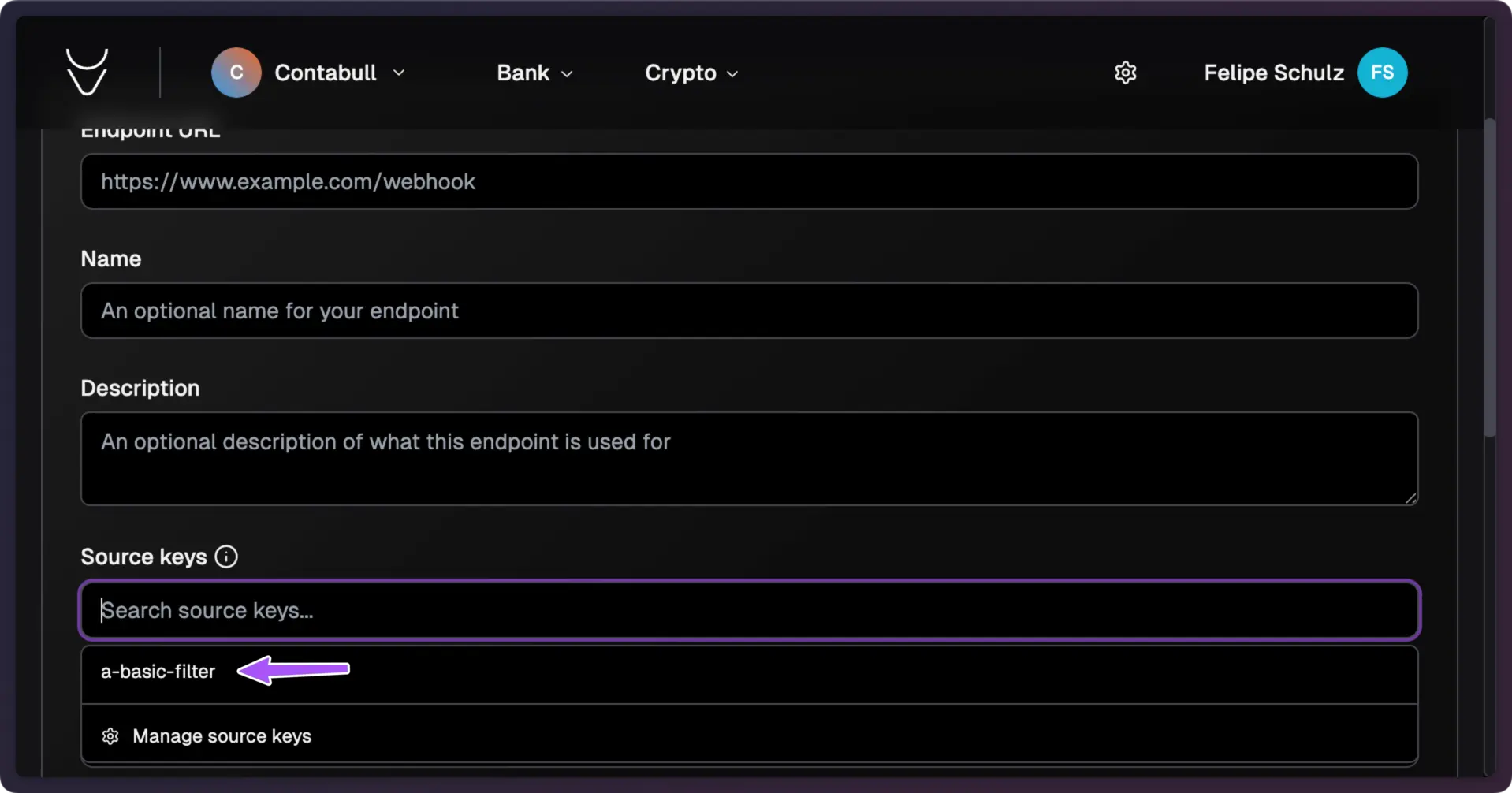
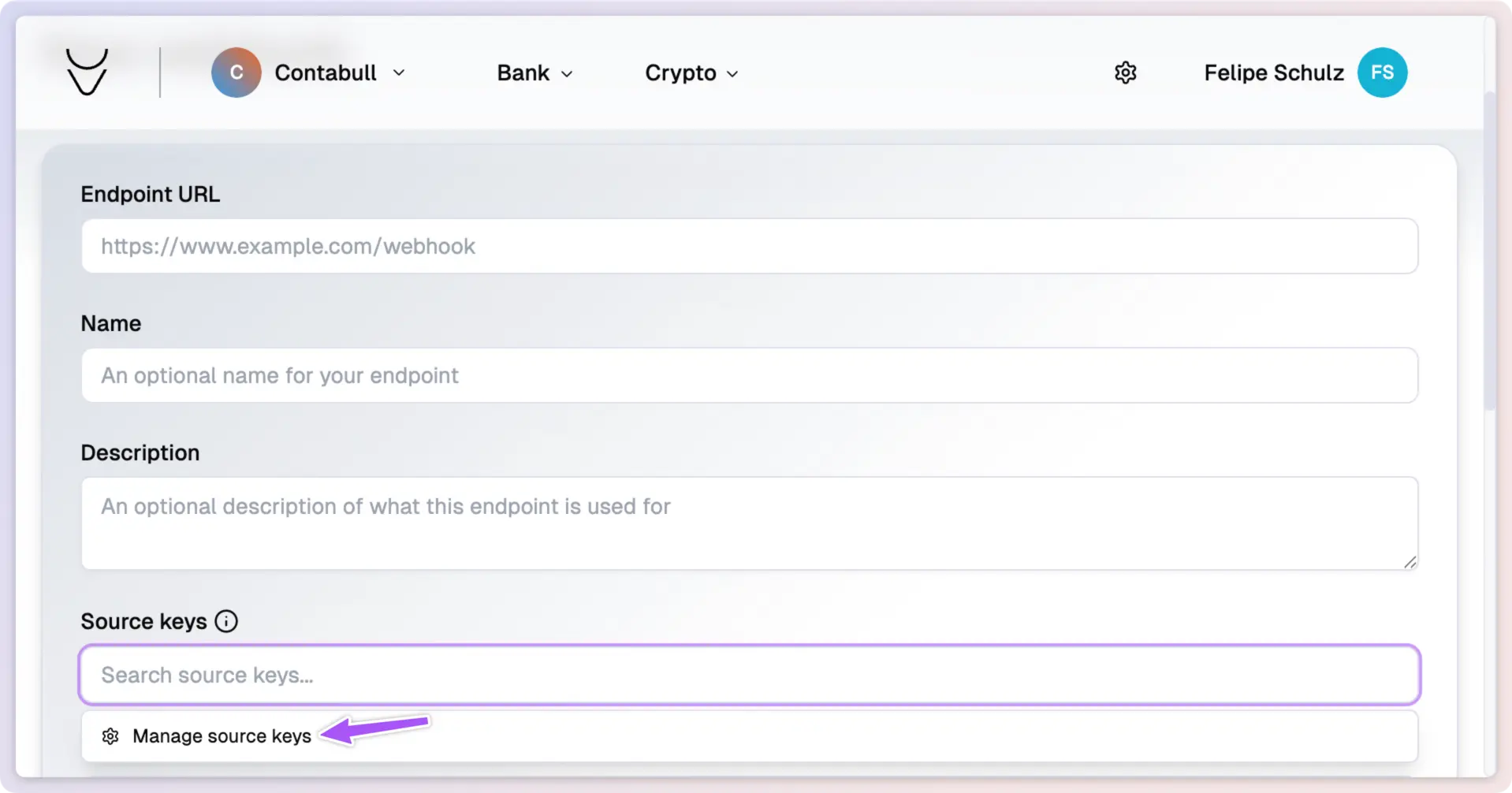
  <Step title="Configure Source Keys (Optional)" stepNumber={7}>
    Limit the webhook to specific source keys if desired. Note: You'll need to include these keys with the requests that trigger the webhook.
  </Step>
</Steps>

<img className="block dark:hidden" src="https://mintcdn.com/contabull/ROfrz7Cv2pLL8IqY/images/configure-webhooks/step-5-light.webp?fit=max&auto=format&n=ROfrz7Cv2pLL8IqY&q=85&s=7ef69e4f8de2c07ce8fad35a13c5585e" alt="Source key configuration in light mode" width="1918" height="1006" data-path="images/configure-webhooks/step-5-light.webp" />

<img className="hidden dark:block" src="https://mintcdn.com/contabull/ROfrz7Cv2pLL8IqY/images/configure-webhooks/step-5-dark.webp?fit=max&auto=format&n=ROfrz7Cv2pLL8IqY&q=85&s=982a9852a64c90fab3637cb6d69e0f21" alt="Source key configuration in dark mode" width="1918" height="1006" data-path="images/configure-webhooks/step-5-dark.webp" />

<img className="block dark:hidden" src="https://mintcdn.com/contabull/ROfrz7Cv2pLL8IqY/images/configure-webhooks/step-6-light.webp?fit=max&auto=format&n=ROfrz7Cv2pLL8IqY&q=85&s=d045f17e4a715ca17eb8f81bf9f75a58" alt="Additional configuration in light mode" width="1918" height="1006" data-path="images/configure-webhooks/step-6-light.webp" />

<img className="hidden dark:block" src="https://mintcdn.com/contabull/ROfrz7Cv2pLL8IqY/images/configure-webhooks/step-6-dark.webp?fit=max&auto=format&n=ROfrz7Cv2pLL8IqY&q=85&s=fcd6cc5b3ed64fbaaca99328120ffe5e" alt="Additional configuration in dark mode" width="1918" height="1006" data-path="images/configure-webhooks/step-6-dark.webp" />

<img className="block dark:hidden" src="https://mintcdn.com/contabull/ROfrz7Cv2pLL8IqY/images/configure-webhooks/step-7-light.webp?fit=max&auto=format&n=ROfrz7Cv2pLL8IqY&q=85&s=037e966260a5abc516f4bece990ffbf5" alt="Further configuration in light mode" width="1918" height="1006" data-path="images/configure-webhooks/step-7-light.webp" />

<img className="hidden dark:block" src="https://mintcdn.com/contabull/ROfrz7Cv2pLL8IqY/images/configure-webhooks/step-7-dark.webp?fit=max&auto=format&n=ROfrz7Cv2pLL8IqY&q=85&s=befa6e5880a9e0bd75e8949e35beb039" alt="Further configuration in dark mode" width="1918" height="1006" data-path="images/configure-webhooks/step-7-dark.webp" />

<Steps>
  <Step title="Save Webhook Configuration" stepNumber={8}>
    Click **Create** to finalize and save your webhook configuration.
  </Step>
</Steps>

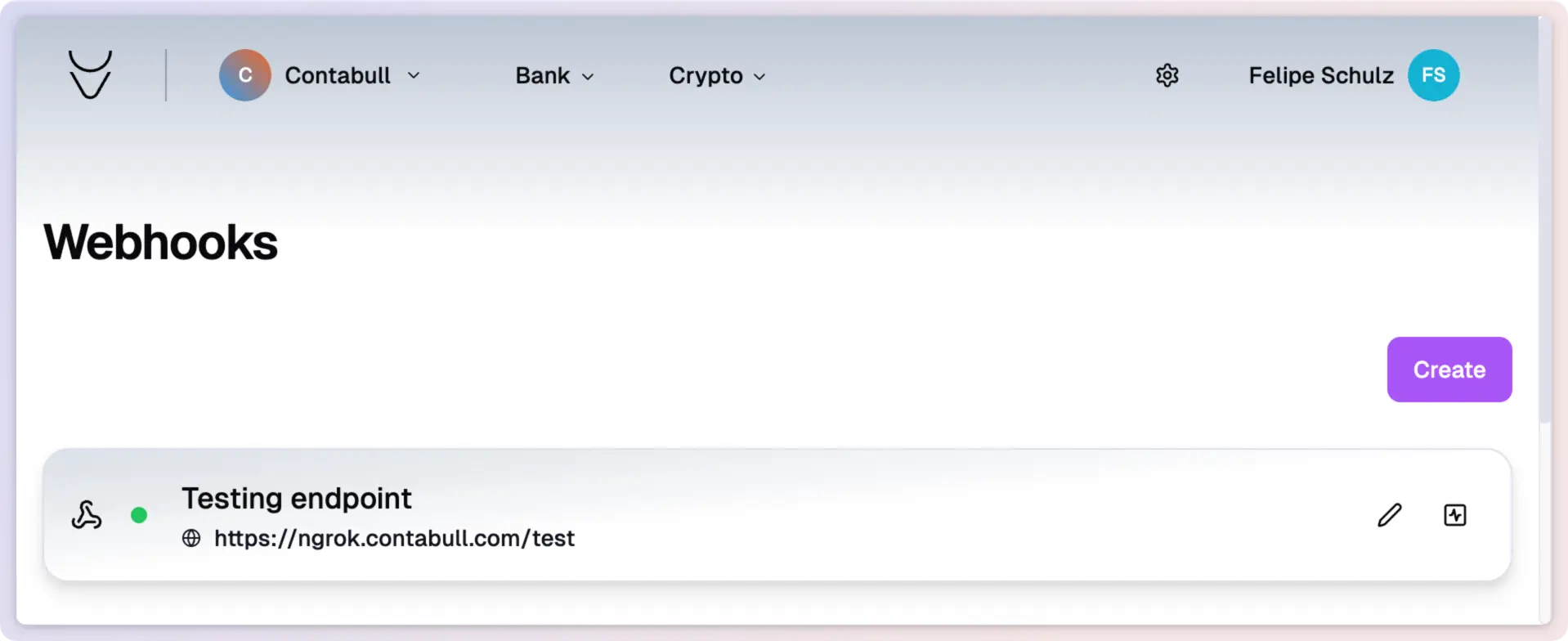
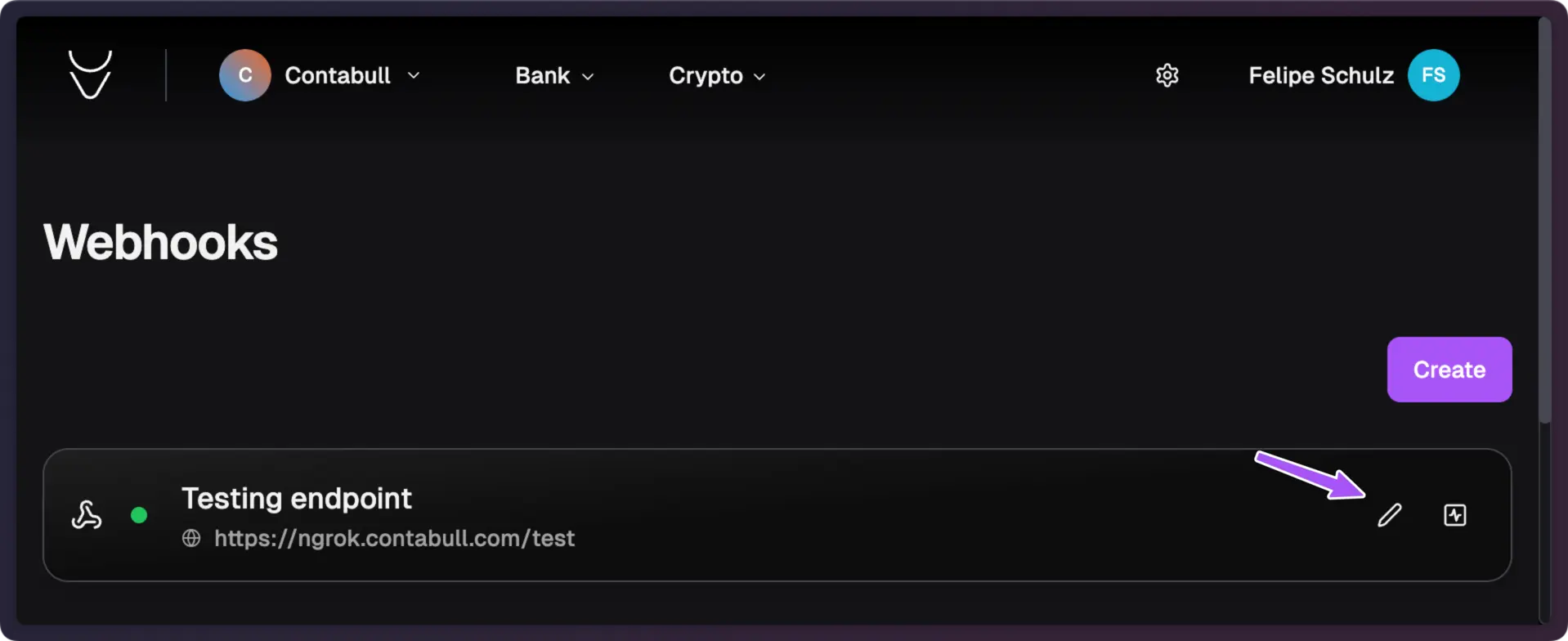
Your webhook is now set up and visible in the **Webhooks** section. To modify it later, use the **Edit** button.
<img className="block dark:hidden" src="https://mintcdn.com/contabull/ROfrz7Cv2pLL8IqY/images/configure-webhooks/step-8-light.webp?fit=max&auto=format&n=ROfrz7Cv2pLL8IqY&q=85&s=3885bf7fd2f4c3ccf223ad65f225daa3" alt="Completed webhook setup in light mode" width="1918" height="784" data-path="images/configure-webhooks/step-8-light.webp" />

<img className="hidden dark:block" src="https://mintcdn.com/contabull/ROfrz7Cv2pLL8IqY/images/configure-webhooks/step-8-dark.webp?fit=max&auto=format&n=ROfrz7Cv2pLL8IqY&q=85&s=6581d06caaf06c3e6096c9d596bf1a7e" alt="Completed webhook setup in dark mode" width="1918" height="784" data-path="images/configure-webhooks/step-8-dark.webp" />

**Next Steps:**

<Card title="Integrate API" icon="link" href="#">
  Explore our API Reference to learn how to integrate the webhook into your application.
</Card>