> ## Documentation Index
> Fetch the complete documentation index at: https://docs.contabull.com/llms.txt
> Use this file to discover all available pages before exploring further.

# Create New Application
<img className="block dark:hidden" src="https://mintcdn.com/contabull/ROfrz7Cv2pLL8IqY/images/create-new-application/step-1-light.webp?fit=max&auto=format&n=ROfrz7Cv2pLL8IqY&q=85&s=f3dc53d88b9eb4f97032d949cad9407d" alt="Hero Light" width="1918" height="1088" data-path="images/create-new-application/step-1-light.webp" />

<img className="hidden dark:block" src="https://mintcdn.com/contabull/ROfrz7Cv2pLL8IqY/images/create-new-application/step-1-dark.webp?fit=max&auto=format&n=ROfrz7Cv2pLL8IqY&q=85&s=20d8198977a016e8bb451c1c52dce07a" alt="Hero Dark" width="1918" height="1088" data-path="images/create-new-application/step-1-dark.webp" />

<Steps>
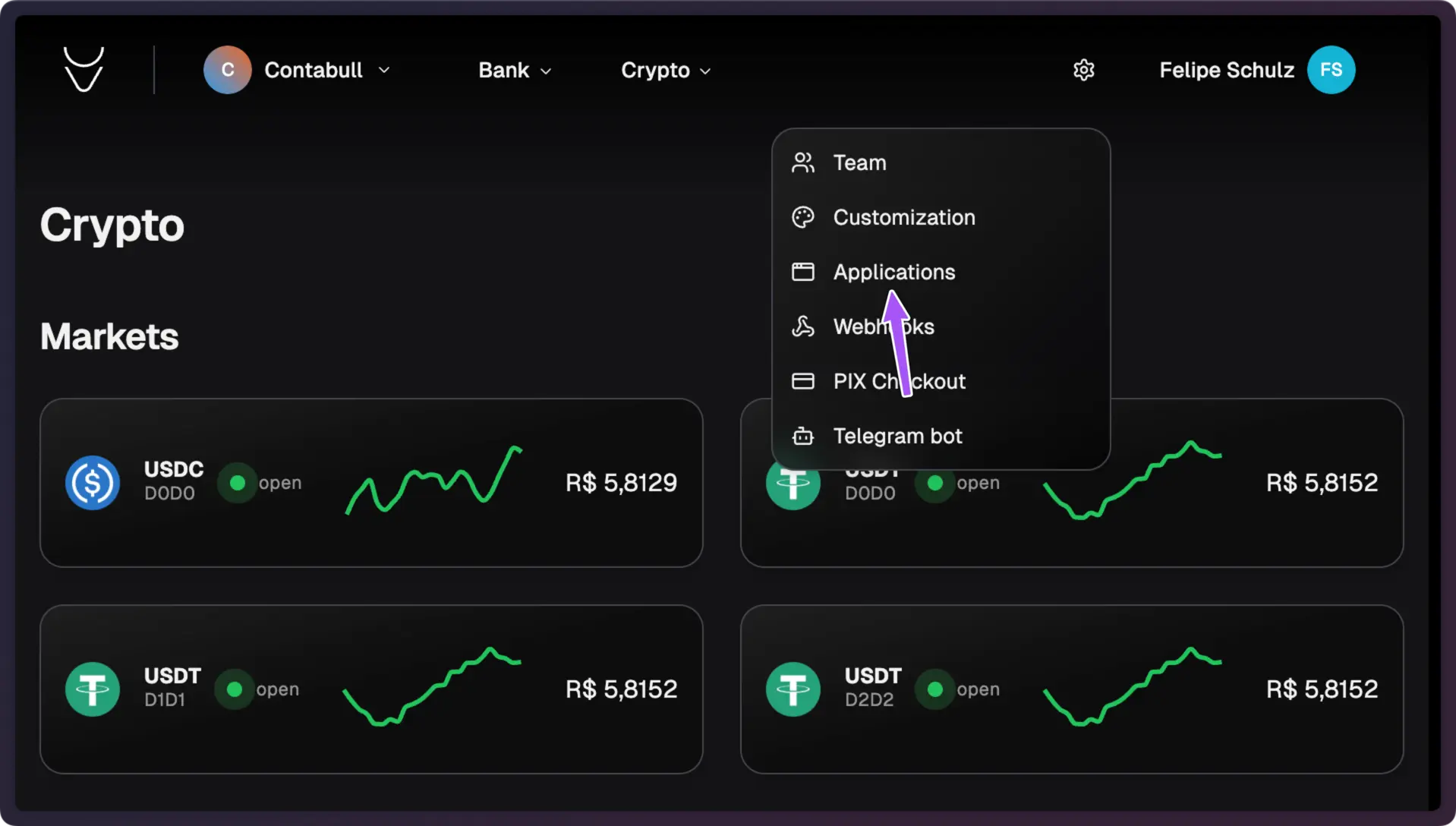
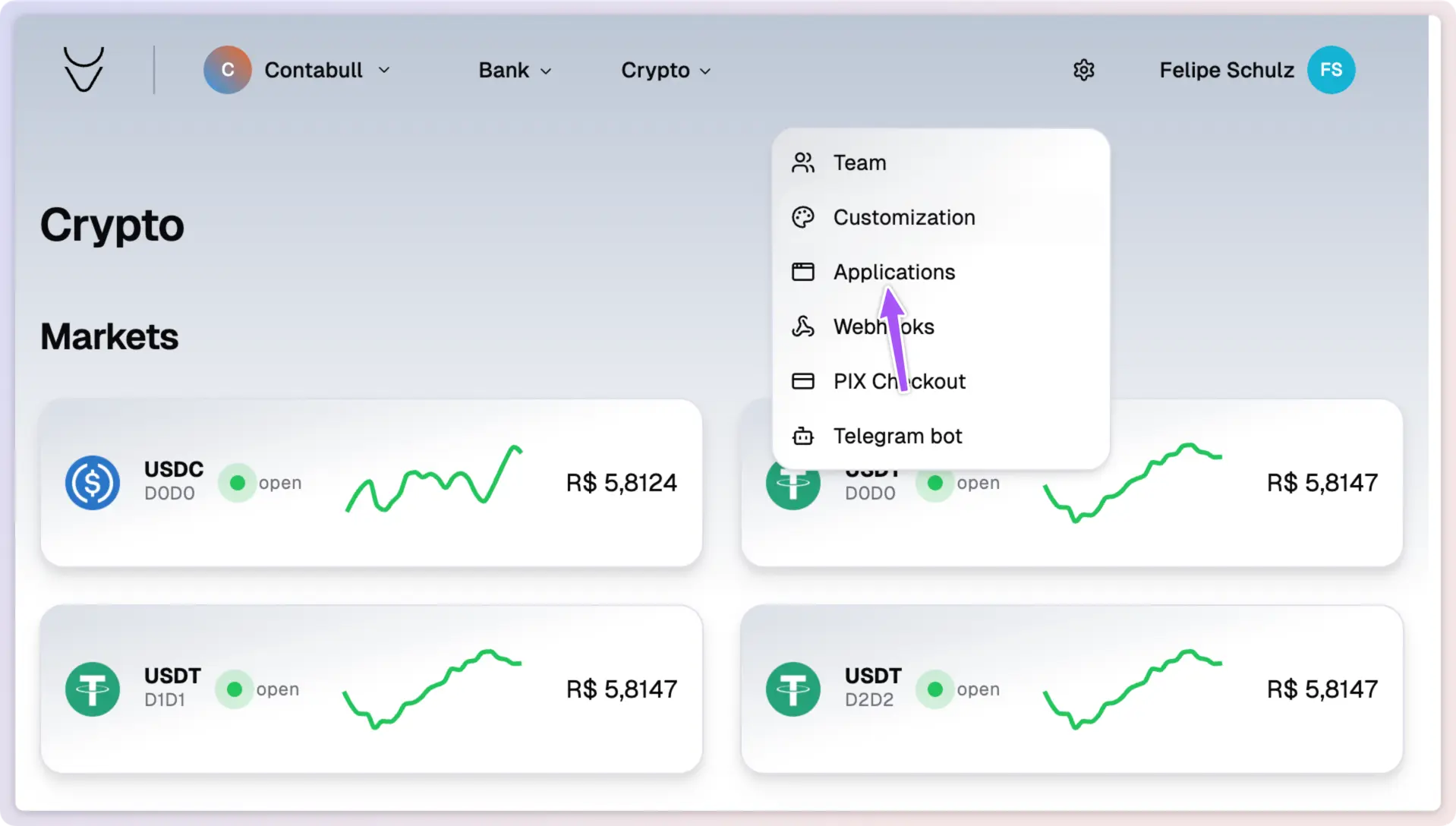
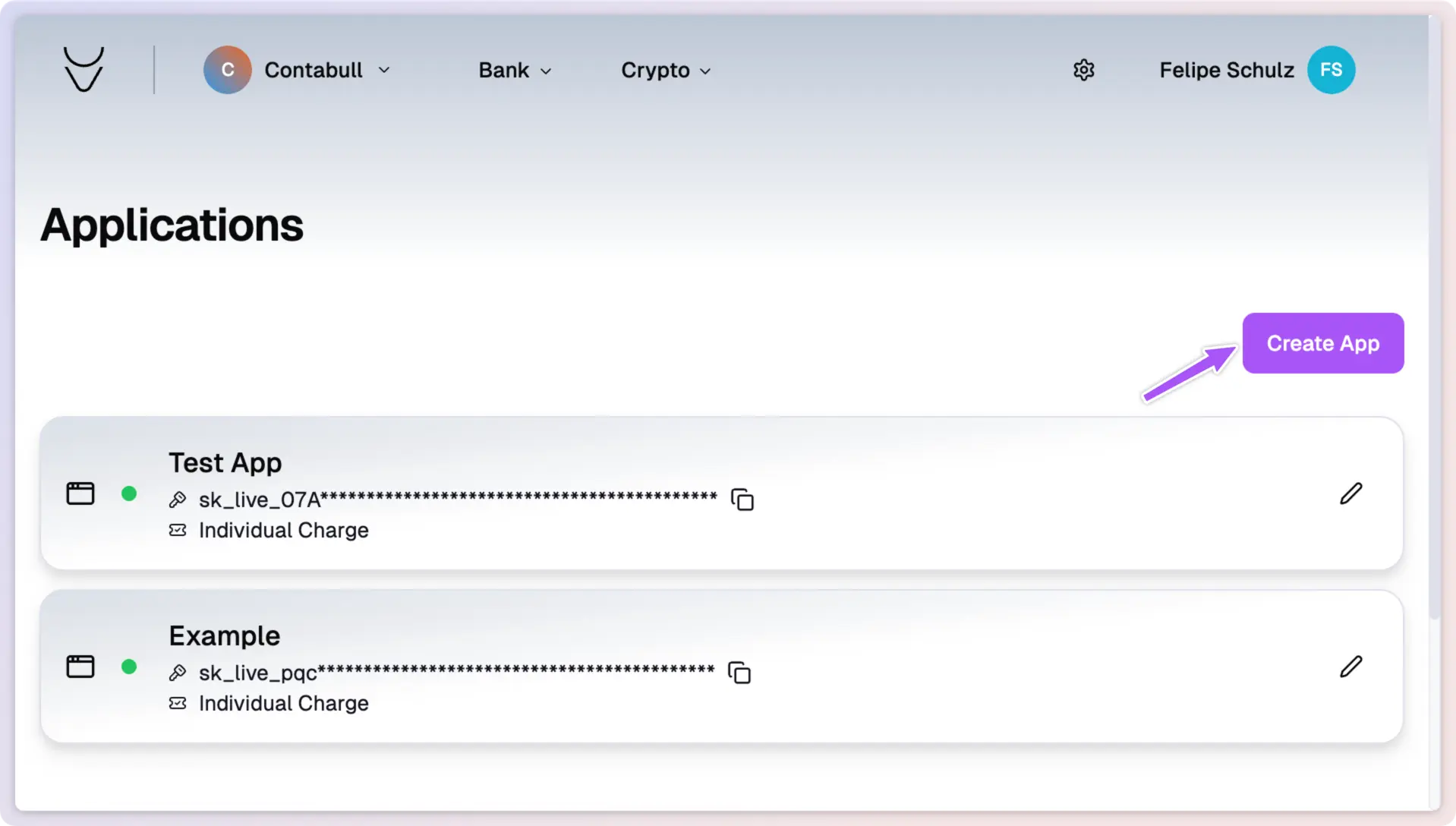
  <Step title="Open the Applications Section" stepNumber={1}>
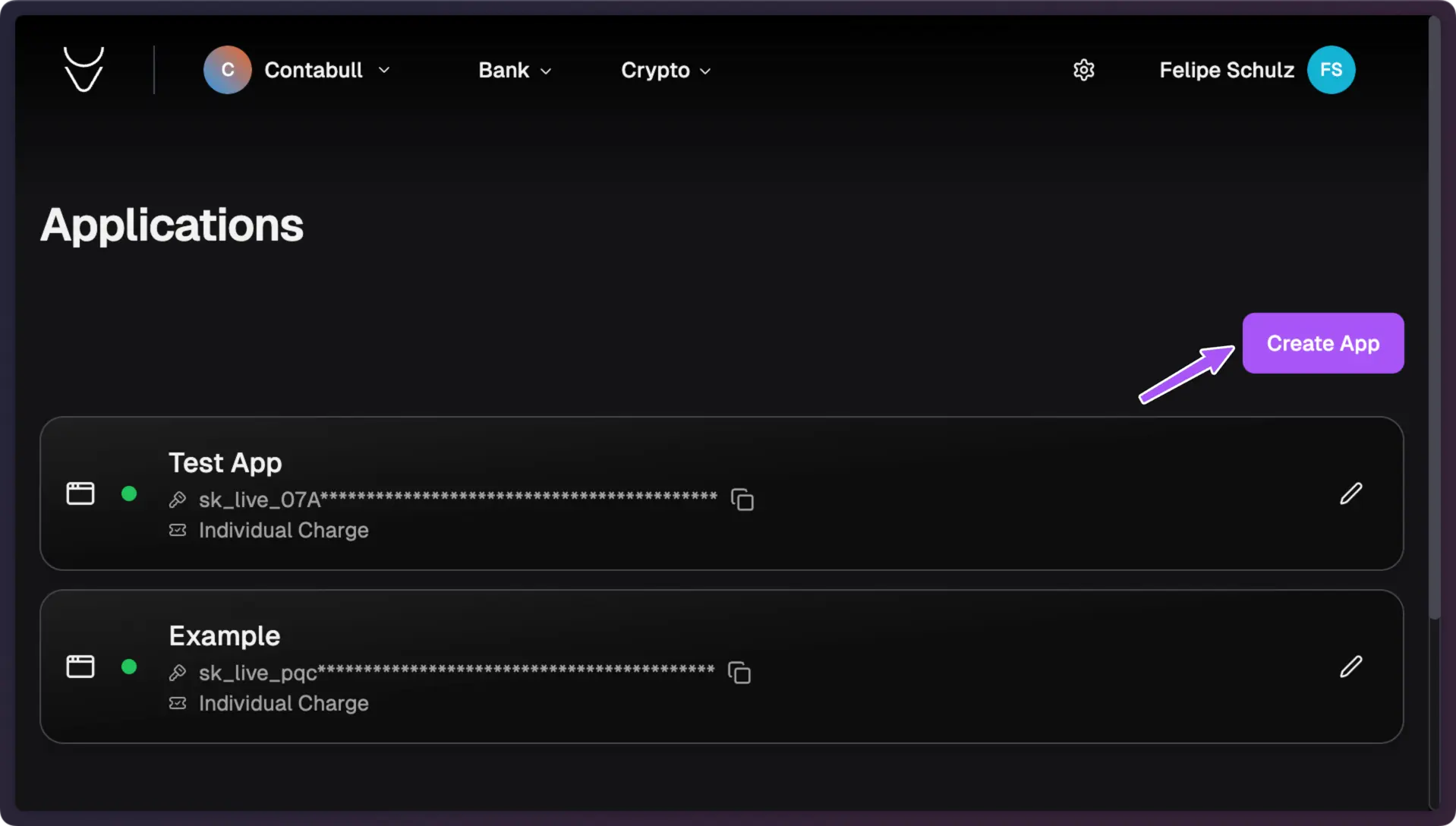
    Navigate to the **Applications** section in your Contabull dashboard. Click
    the **Create App** button to start creating a new application.
  </Step>
</Steps>

<img className="block dark:hidden" src="https://mintcdn.com/contabull/ROfrz7Cv2pLL8IqY/images/create-new-application/step-2-light.webp?fit=max&auto=format&n=ROfrz7Cv2pLL8IqY&q=85&s=6c2a0fb222aba5ec76e45978bd9b2a95" alt="Hero Light" width="1918" height="1088" data-path="images/create-new-application/step-2-light.webp" />

<img className="hidden dark:block" src="https://mintcdn.com/contabull/ROfrz7Cv2pLL8IqY/images/create-new-application/step-2-dark.webp?fit=max&auto=format&n=ROfrz7Cv2pLL8IqY&q=85&s=fa169ed9be8c29ed6470a8e1e677e650" alt="Hero Dark" width="1918" height="1088" data-path="images/create-new-application/step-2-dark.webp" />

<Steps>
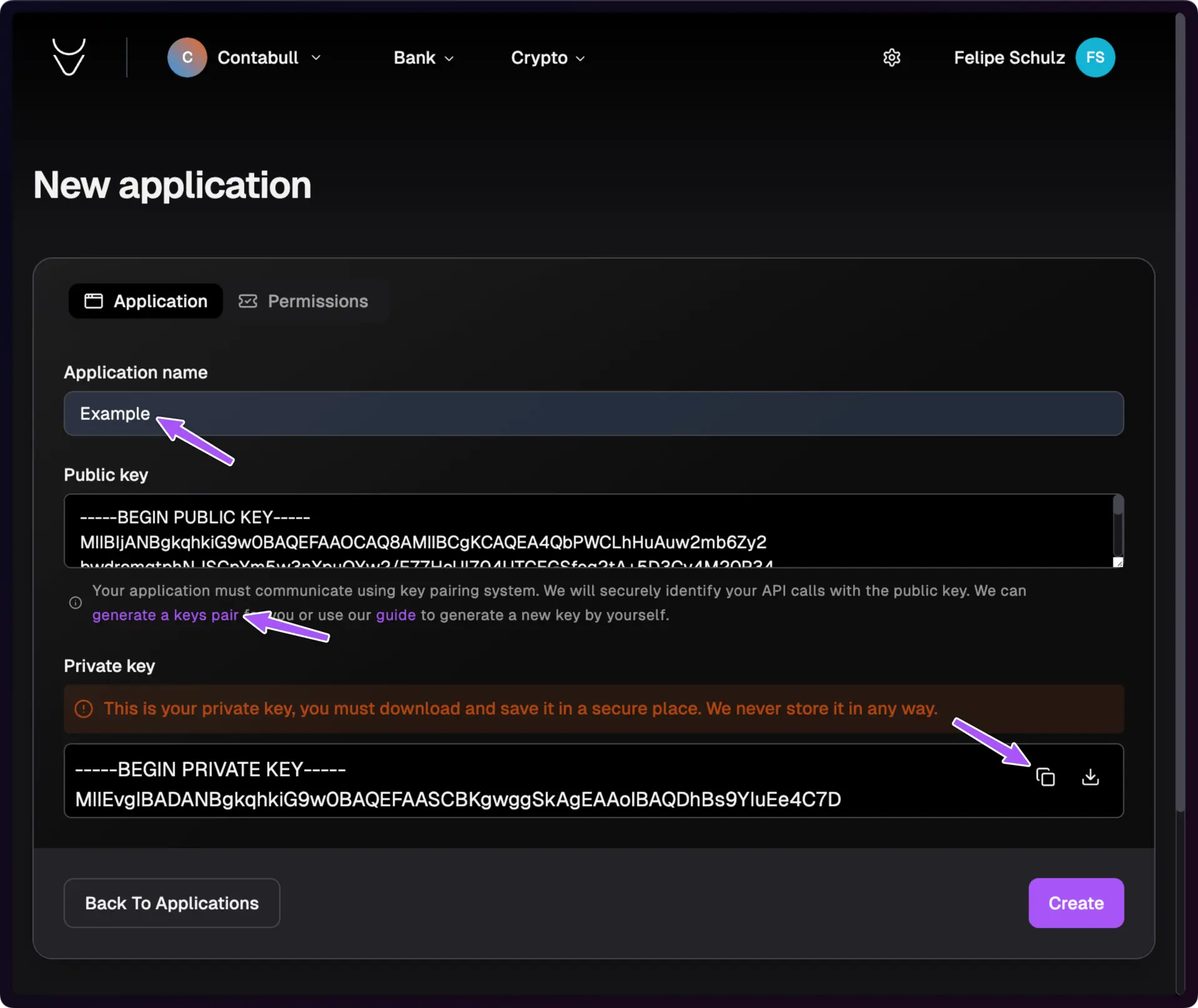
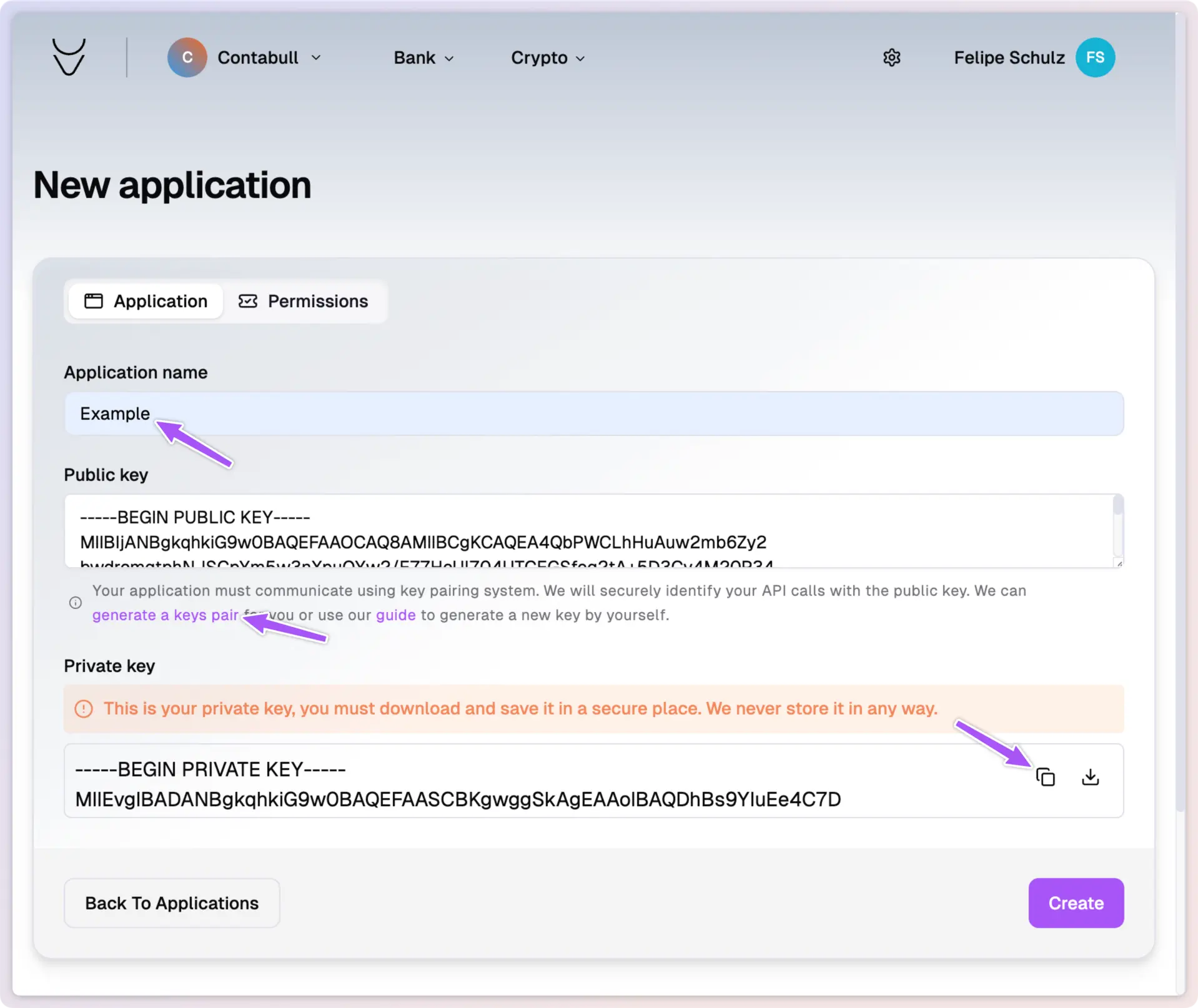
  <Step title="Enter Application Details" stepNumber={2}>
    Provide a name for your application.
    For secure API communication, choose one of these options:

    * Let Contabull generate a key pair for you
    * Generate your own RSA key pair and upload the public key
  </Step>
</Steps>

<Warning>
  RSA Private Key Best Practices:

  * Never share your private key
  * Store it securely, preferably in an encrypted format
  * Regularly rotate your keys
  * Use strong key lengths (minimum 2048 bits) \* Restrict access to the private key file
</Warning>

<img className="block dark:hidden" src="https://mintcdn.com/contabull/ROfrz7Cv2pLL8IqY/images/create-new-application/step-3-light.webp?fit=max&auto=format&n=ROfrz7Cv2pLL8IqY&q=85&s=51a9038b3423deee8deb837de82356cc" alt="Hero Light" width="1918" height="1614" data-path="images/create-new-application/step-3-light.webp" />

<img className="hidden dark:block" src="https://mintcdn.com/contabull/ROfrz7Cv2pLL8IqY/images/create-new-application/step-3-dark.webp?fit=max&auto=format&n=ROfrz7Cv2pLL8IqY&q=85&s=7ea7e9633d6b651ab4402d0ac9695a71" alt="Hero Dark" width="1918" height="1614" data-path="images/create-new-application/step-3-dark.webp" />

<Steps>
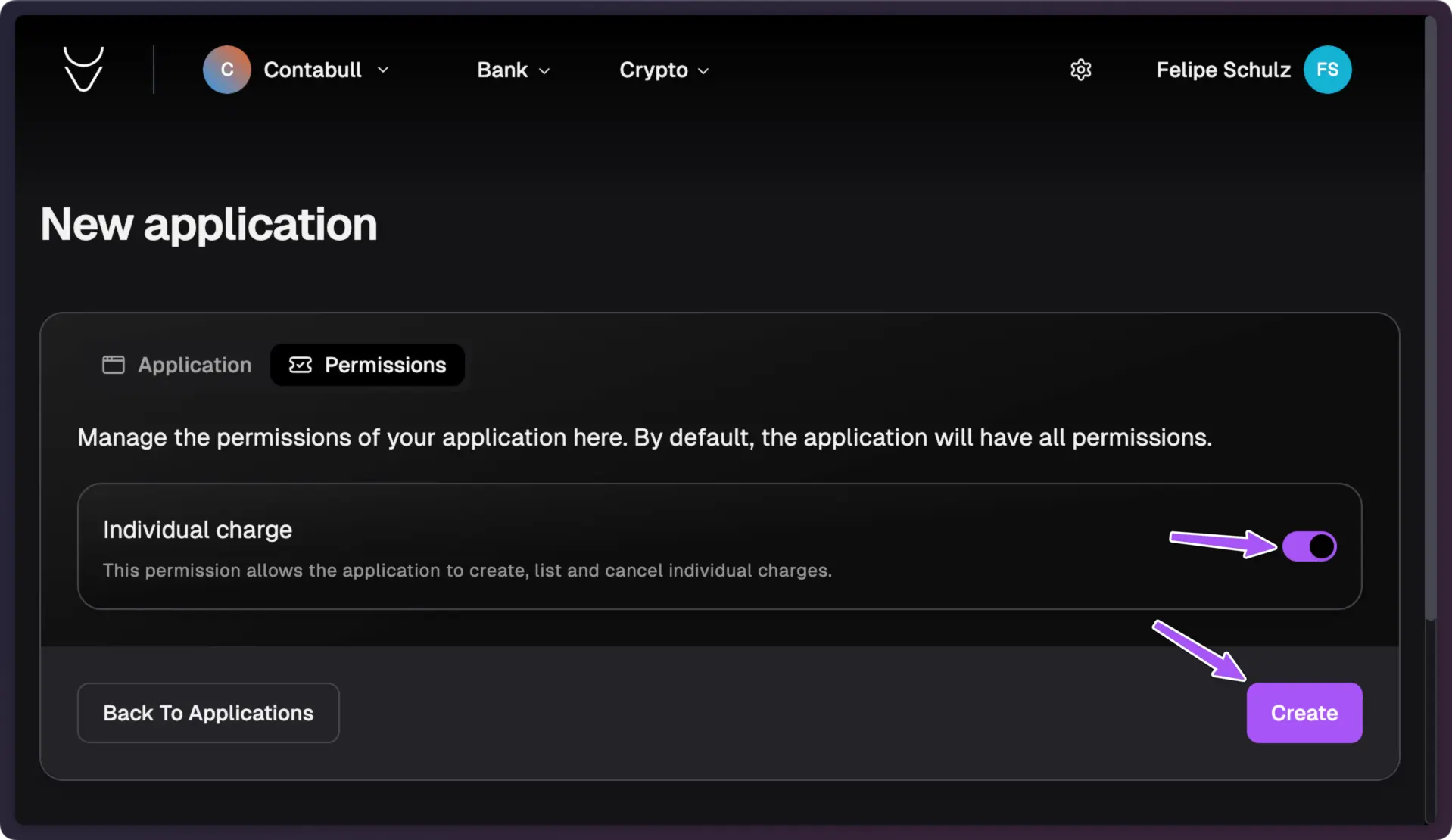
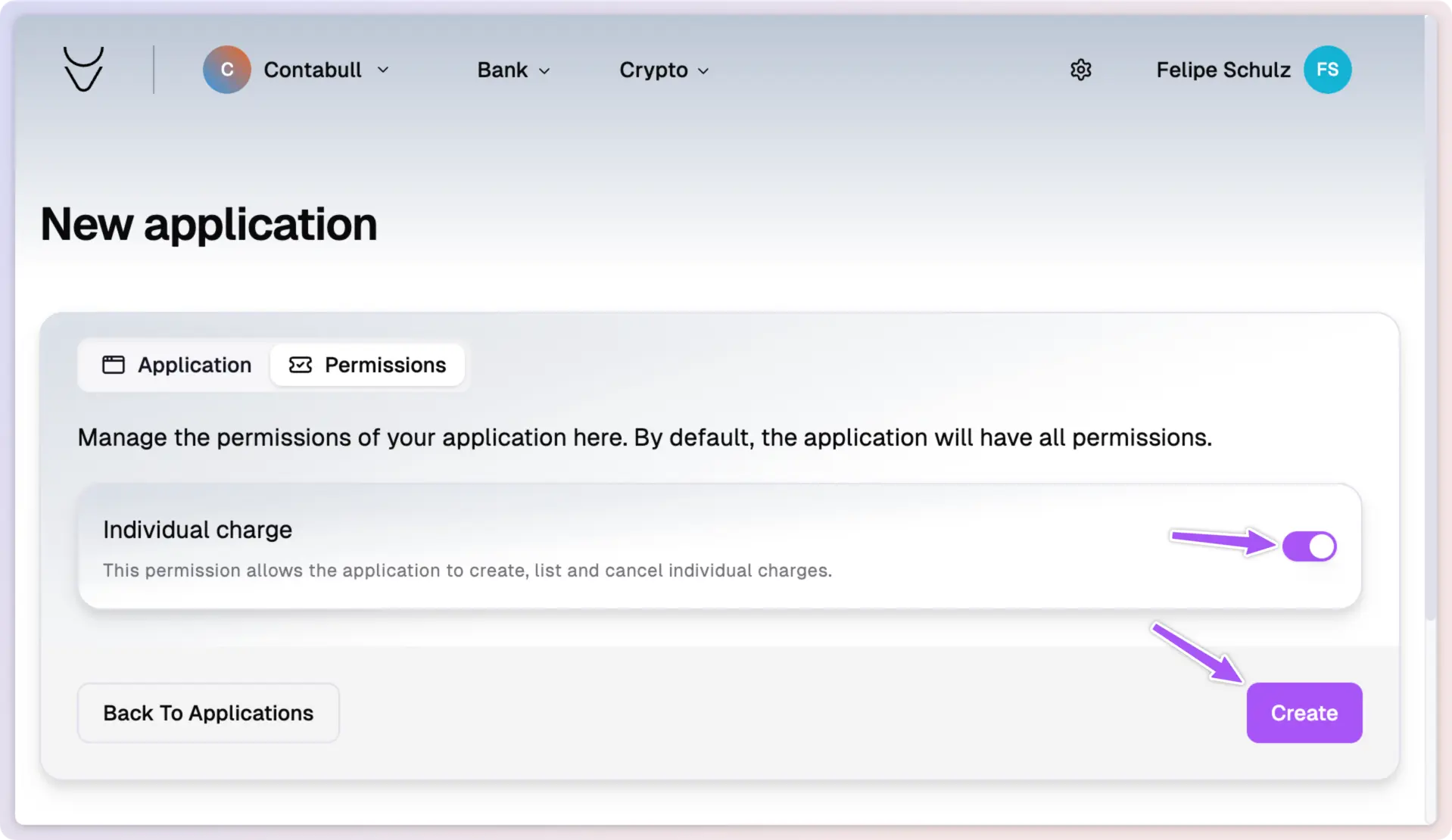
  <Step title="Configure Application Permissions" stepNumber={3}>
    In the **Permissions** tab, select the functionalities your application will
    use.
  </Step>
</Steps>

<img className="block dark:hidden" src="https://mintcdn.com/contabull/ROfrz7Cv2pLL8IqY/images/create-new-application/step-4-light.webp?fit=max&auto=format&n=ROfrz7Cv2pLL8IqY&q=85&s=4074e559d571c8e30f911863062dbb61" alt="Hero Light" width="1918" height="1110" data-path="images/create-new-application/step-4-light.webp" />

<img className="hidden dark:block" src="https://mintcdn.com/contabull/ROfrz7Cv2pLL8IqY/images/create-new-application/step-4-dark.webp?fit=max&auto=format&n=ROfrz7Cv2pLL8IqY&q=85&s=3b77f7845a4bb72cf239a342866c6f4b" alt="Hero Dark" width="1918" height="1110" data-path="images/create-new-application/step-4-dark.webp" />

<Steps>
  <Step title="Finalize and Create the Application" stepNumber={4}>
    After verifying your settings and permissions, click **Create**. Your new
    application will be listed under the "Applications" section, ready for use.
  </Step>
</Steps>